4. Trip planning
- Planning desk
- Active trips
- New Unplanned Cargo Map Window Page
- Trip Tracking – Map – Chat
- Creating a New Trip
Planning desk
Opening the Planning View
Current Trips View
Trip Tracking View
Current Unplanned Loads / Map View
Planning View
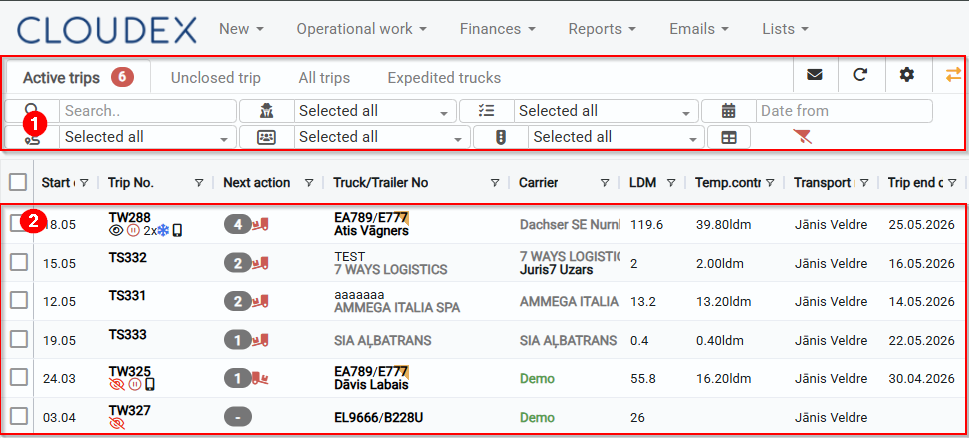
Current Trips View
- Tabs for:
- Current Trips
- Open Trips
- Trip Archive
- Vehicle Statuses
- Dispatched Vehicles
- Filters
- List of current trips
Trip Tracking / Map View
- Tracking of Trip No. #
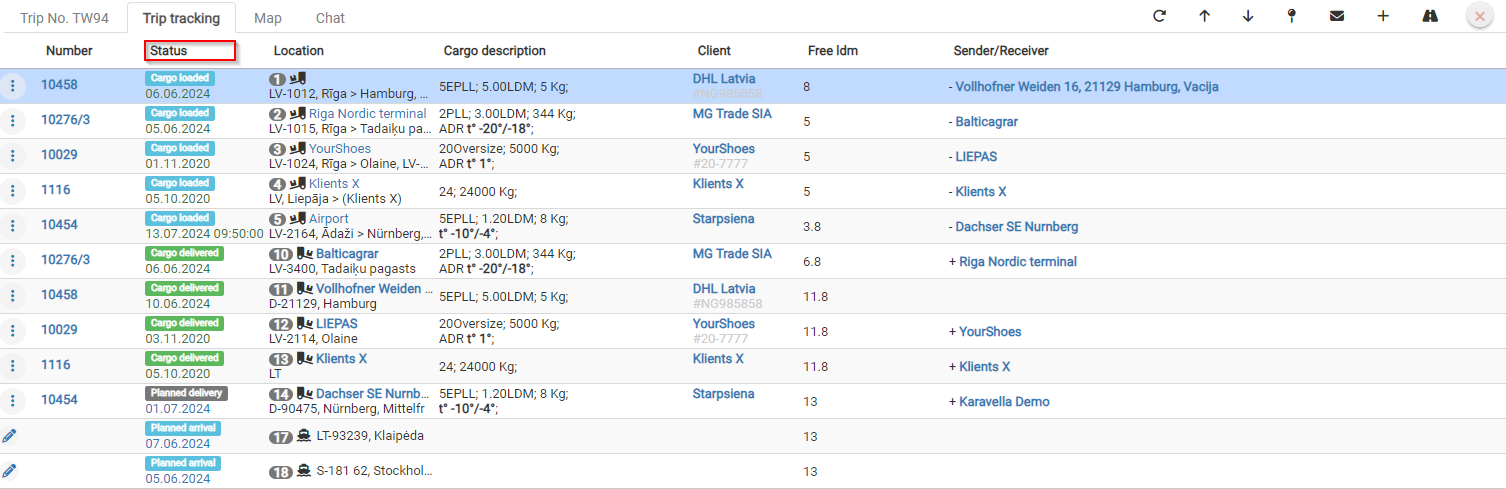
- Trip Tracking
- Map
- Chat

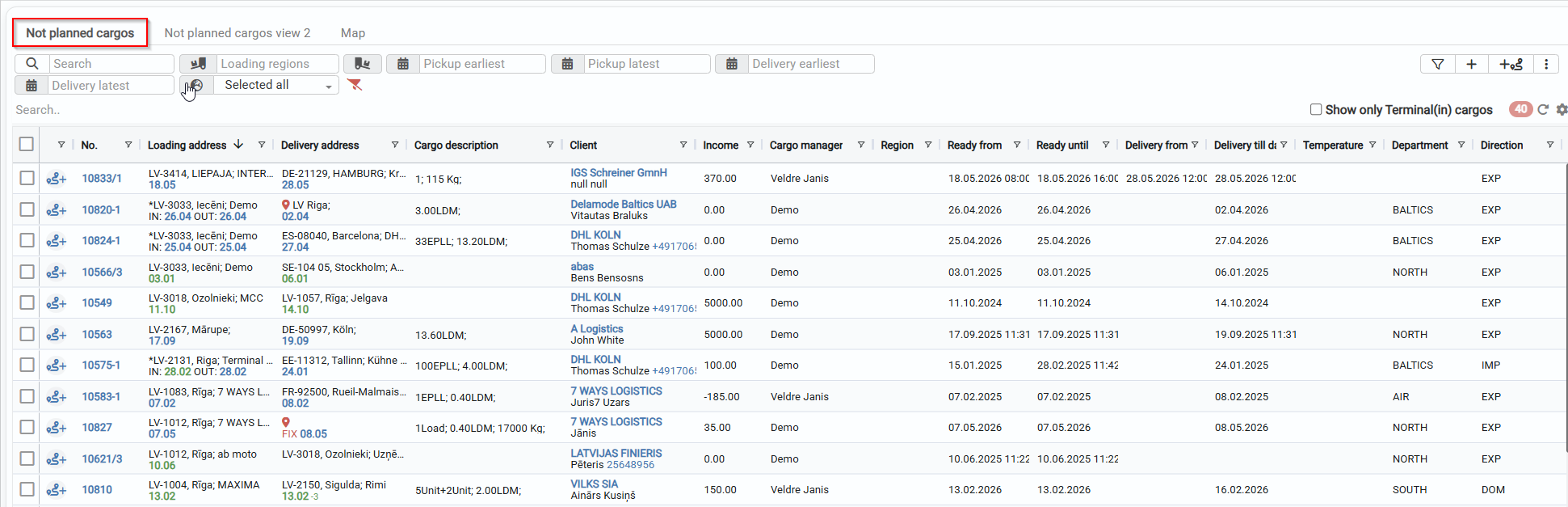
Current Unplanned Loads List
- Filters for unplanned loads
- List of unplanned loads
Active trips
Current trips view
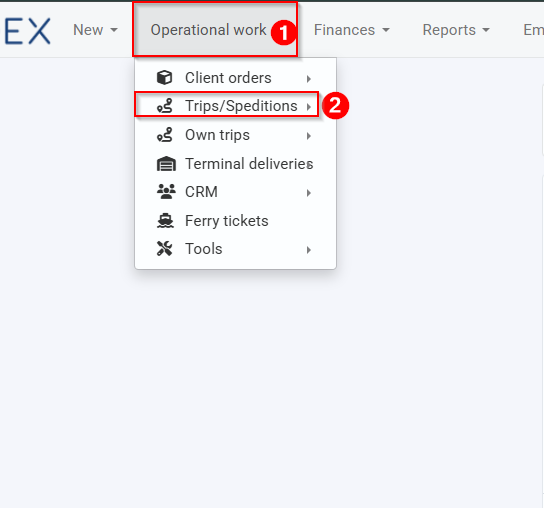
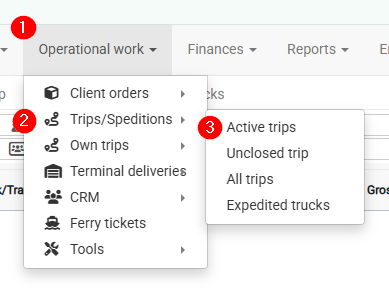
1. Opening the current trips view
- Operational work
- Trips / Speditions
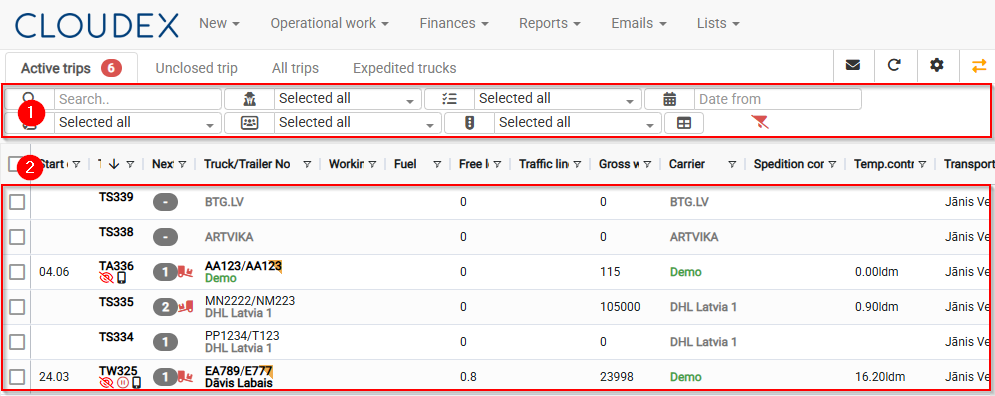
2. Current trips view
- Information about current / open / trip archive / vehicle statuses / dispatched vehicles
- List of currently available trips
New Unplanned Cargo Map Window Page
Opening the Unplanned Cargo Map/Window
- Click “New” in the top navigation bar
- From the pop-up menu, select “Trips/Expeditions”
Required workflow: Operational work → Trips/Expeditions.
You will open the Trips/Expeditions window.
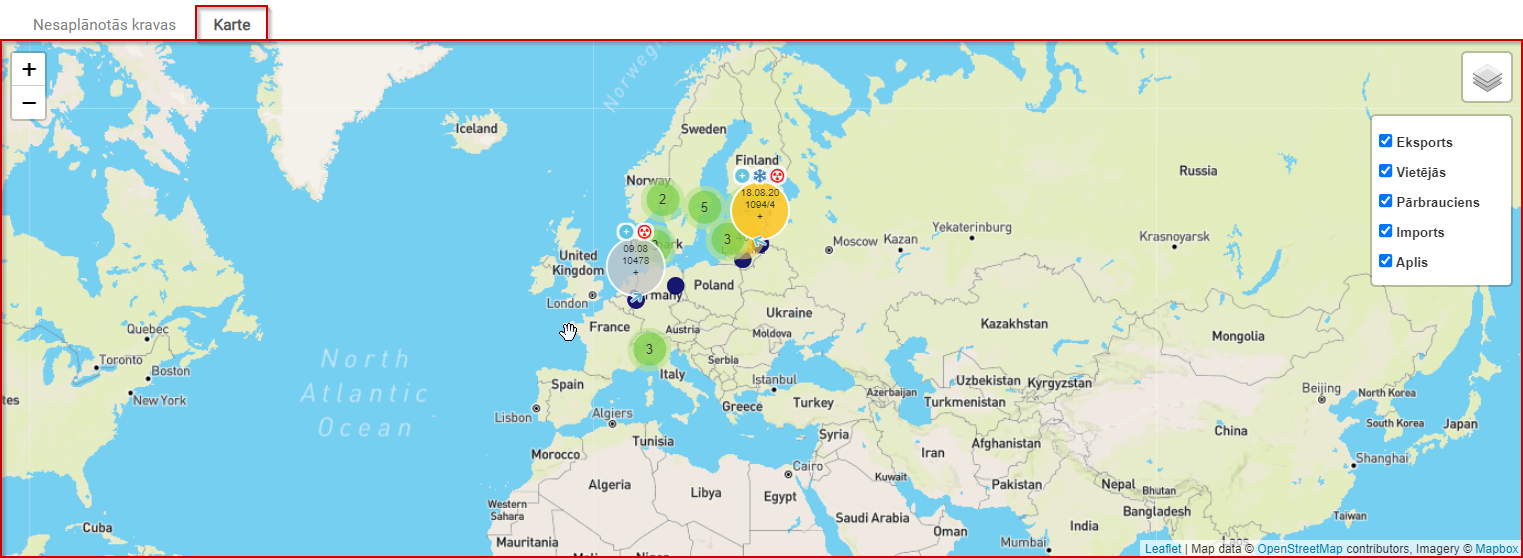
Current Unplanned Cargo Map
The current unplanned cargo map displays cargo in a visually clear way, making it easier to search for shipments.
For cargo to be properly displayed on the map, loading and unloading coordinates are important. See the image below.

Cargo can be filtered by the following attributes: Export, Local, Transit, Import, Round trip.
Trip Tracking – Map – Chat
Opening Trip Tracking / Map / Chat
- Open Trip Tracking / Map / Chat.
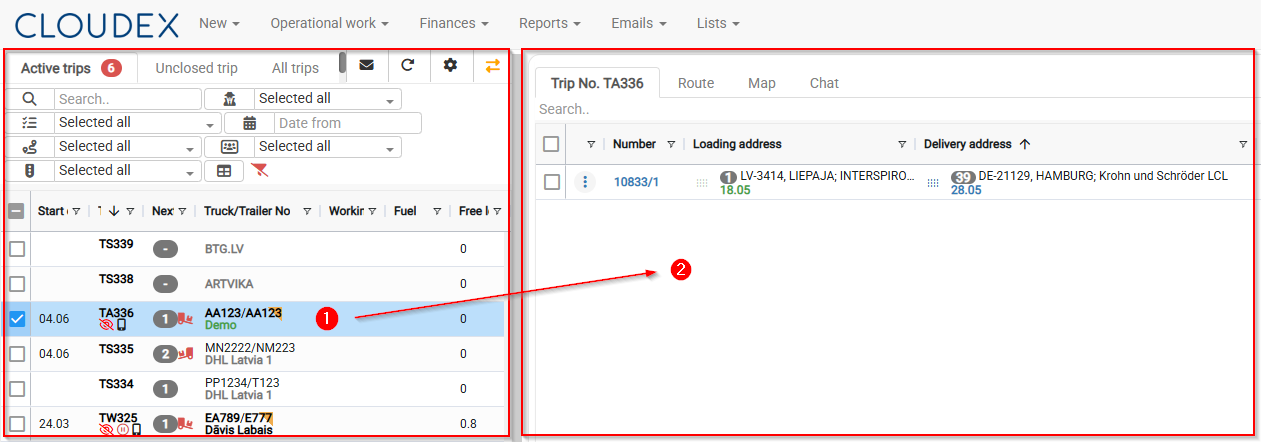
- Trip Tracking / Map / Chat

- Trip Tracking
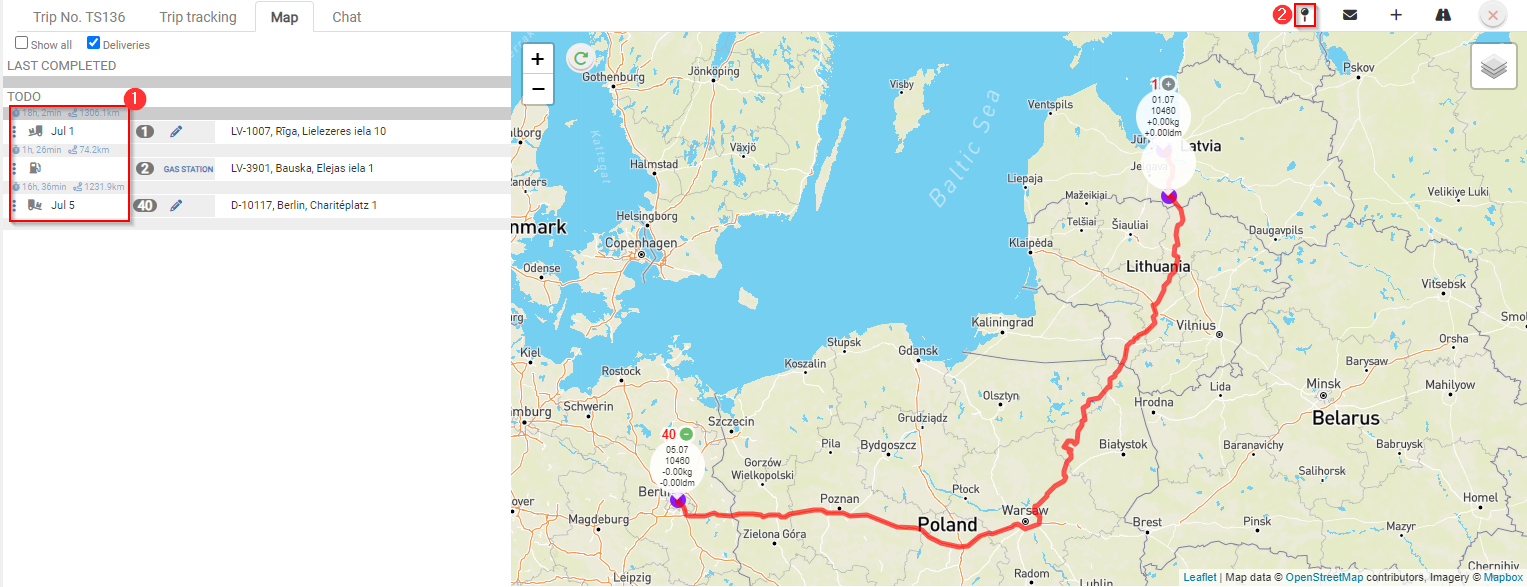
- Map
- Distance in kilometers between stops.
- Add additional stops by clicking the + symbol.


Creating a New Trip
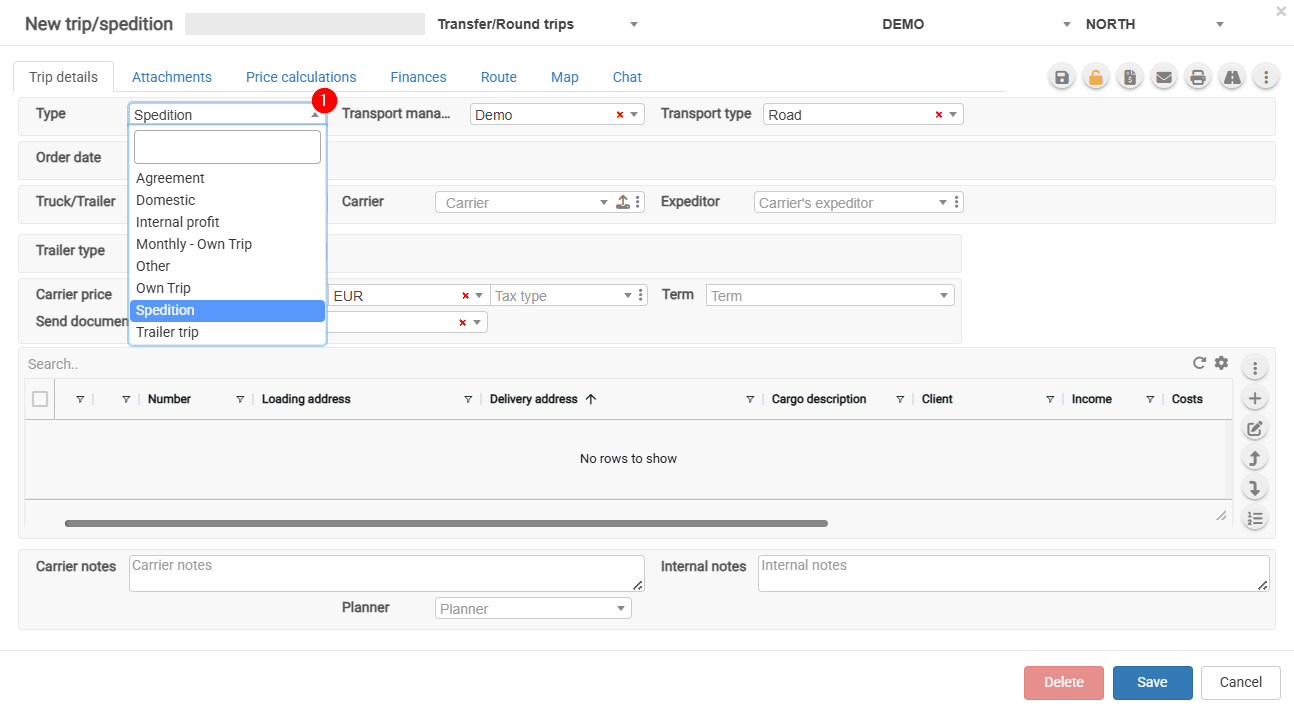
Trip/Expedition Types
1. Adding a New Trip
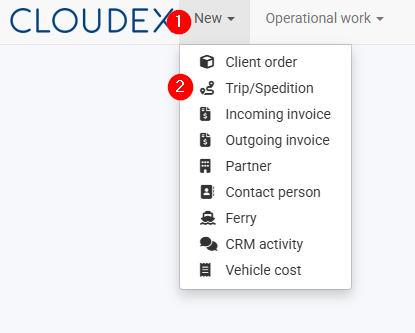
- Click the “New” button in the toolbar.
- From the menu that opens, select “Trip/Expedition”.
2. Trip/Expedition Types
- Agreement – Select this option when a subcontractor operates under your management and you are forwarding the vehicle for a full or partial route. Payment is usually calculated based on the kilometers driven.
- Domestic – Local transportation.
- Monthly – Monthly trip.
- Other – Other types of trips.
- Own Trip – Select this option when the trip is performed with your own vehicle. This enables the completion of the driver's report.
- Spedition – Freight forwarding and cargo transportation.
To ensure accurate trip reporting, it is important to select the correct trip type.