Incoming Invoices (Creditors)
New Page
Registering an Incoming Invoice
If you need to register a single invoice for multiple trips at once, you can do so in one of the following ways:
1) Register an invoice from the Trip form.
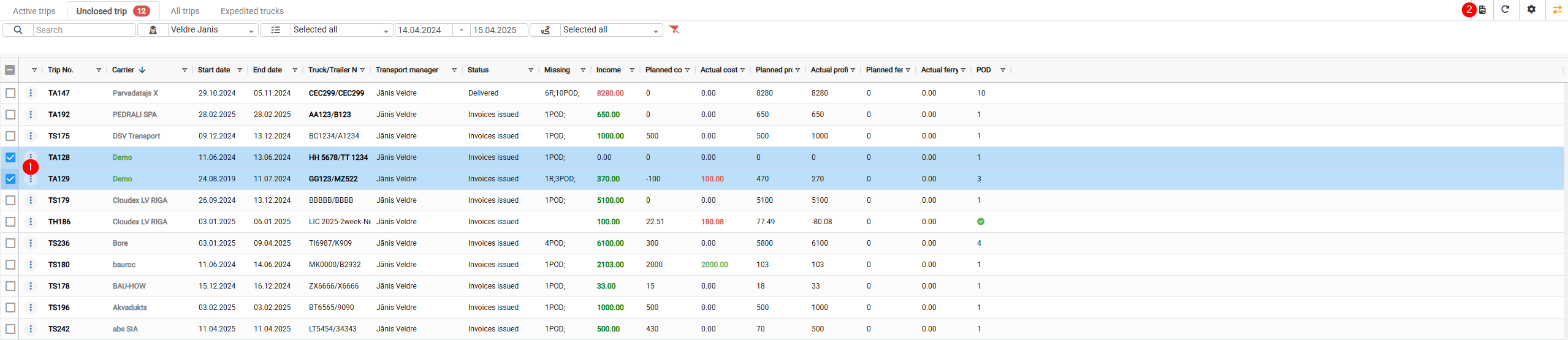
2) Register an invoice from the Open Trips window.
1. Registering an Invoice from the Trip Form
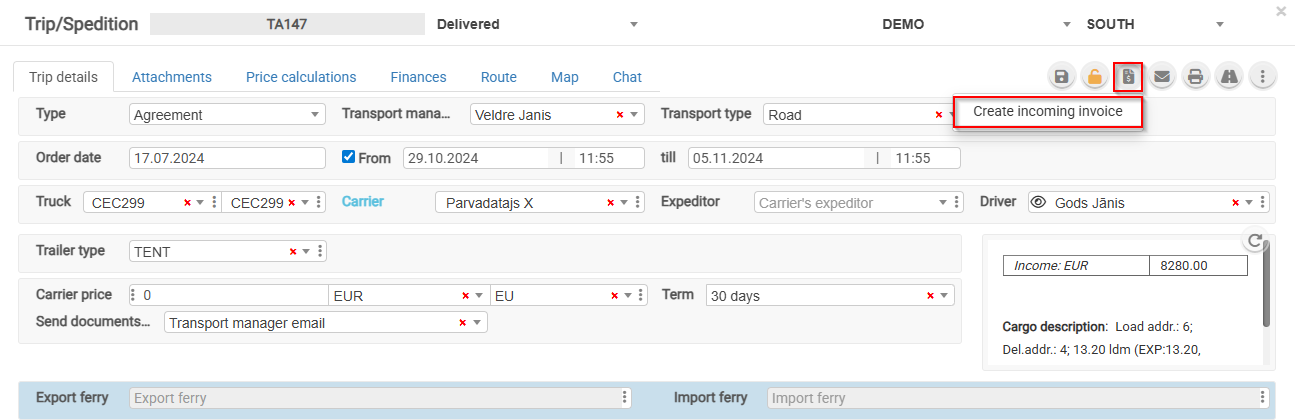
- Open the trip.
- Click the "Register Invoice" button.
For an unconfirmed invoice, it is possible to add other customer orders.
2. Registering an Invoice from the Open Trips Window
- Select the trips for which you want to register an incoming invoice.
- Click the invoice registration icon.

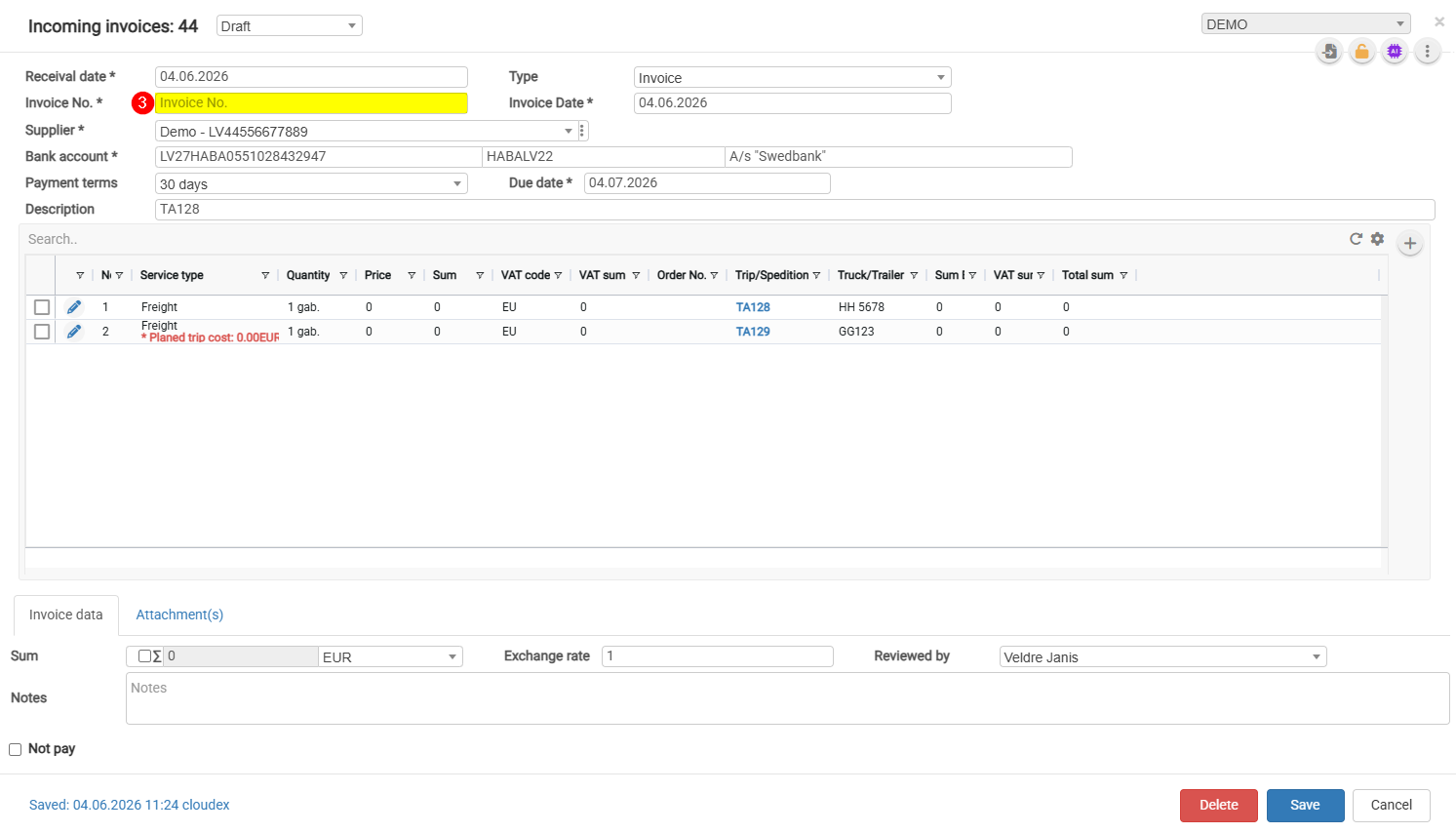
- Complete the required fields and click Save.