Delivery via Terminal
- Delivery via Terminal
- Delivery via Terminal Options
- Services view after adding "Delivery via Terminal"
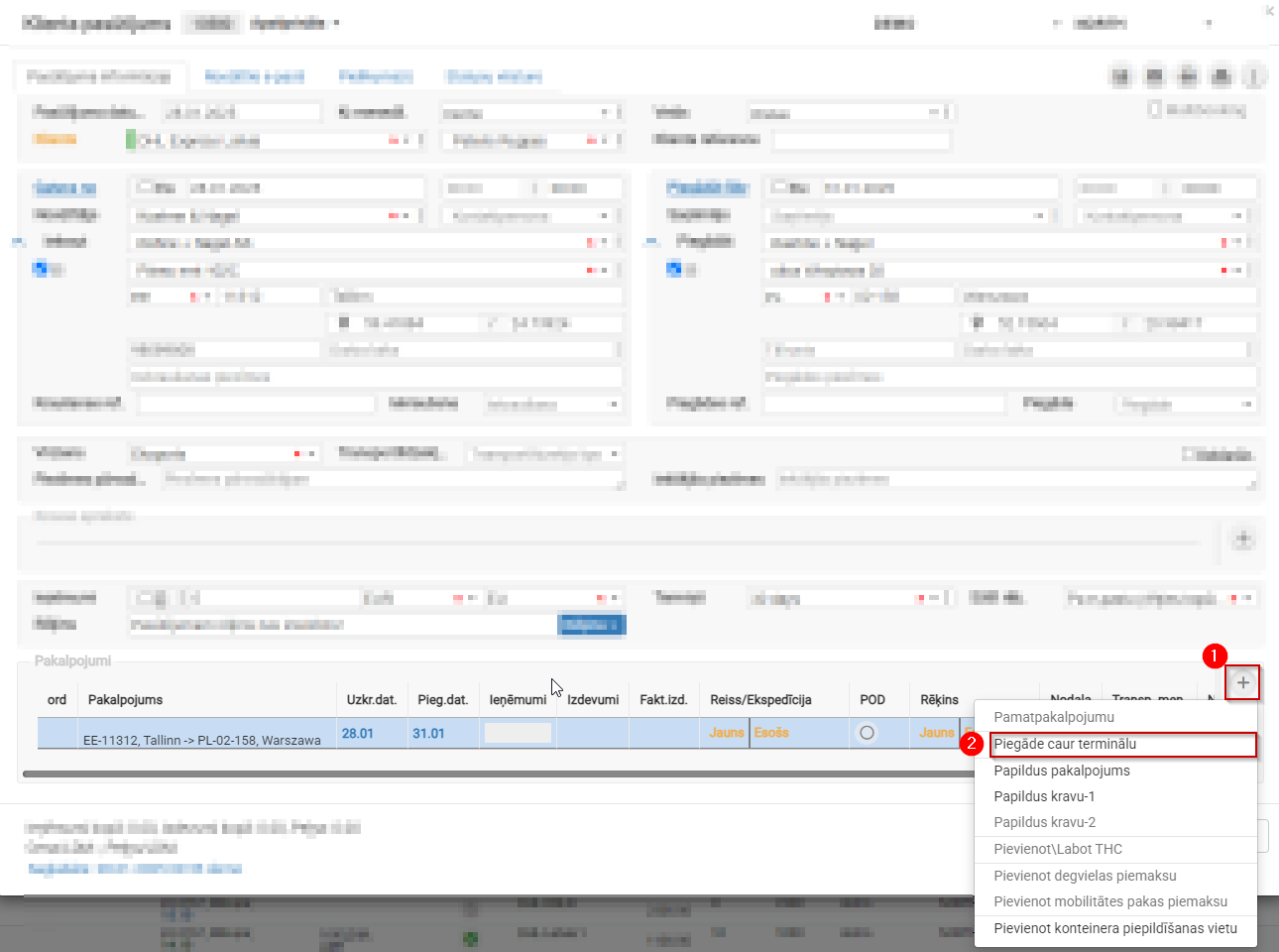
1. Delivery via Terminal
Customer Order → Services → + →Delivery via Terminal
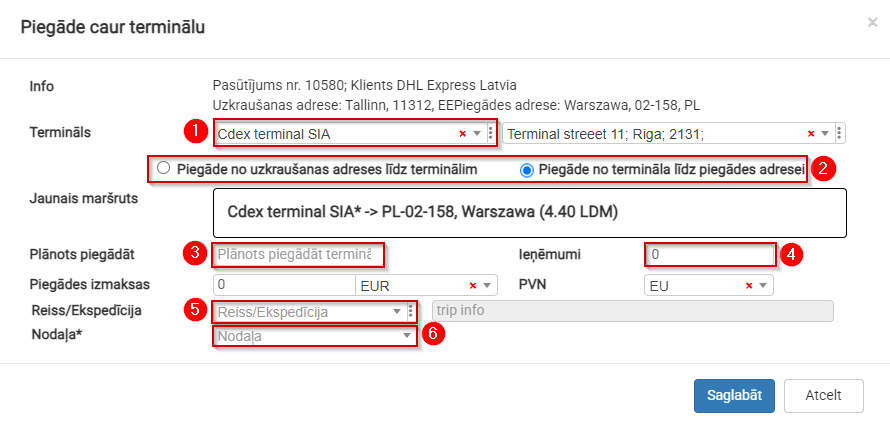
2. Delivery via Terminal Options
- Select the required terminal; the address will be filled in automatically.
- Split the route EE11312 Tallinn → PL-02-158 into two parts.
- Planned delivery deadline to the terminal.
- Specify the amount allocated for the stage from the terminal to the delivery address.
- If you know which truck will transport the cargo, you can create a new trip or add it to an existing trip.
- Assign it to the department responsible for delivery from the terminal to the delivery address.
3. Services View After Adding "Delivery via Terminal"
The overall delivery process is divided into two stages, and each stage is assigned a specific amount:
- Total amount to be received from the customer.
- Revenue distributed among departments.
- Departments responsible for specific delivery stages.
