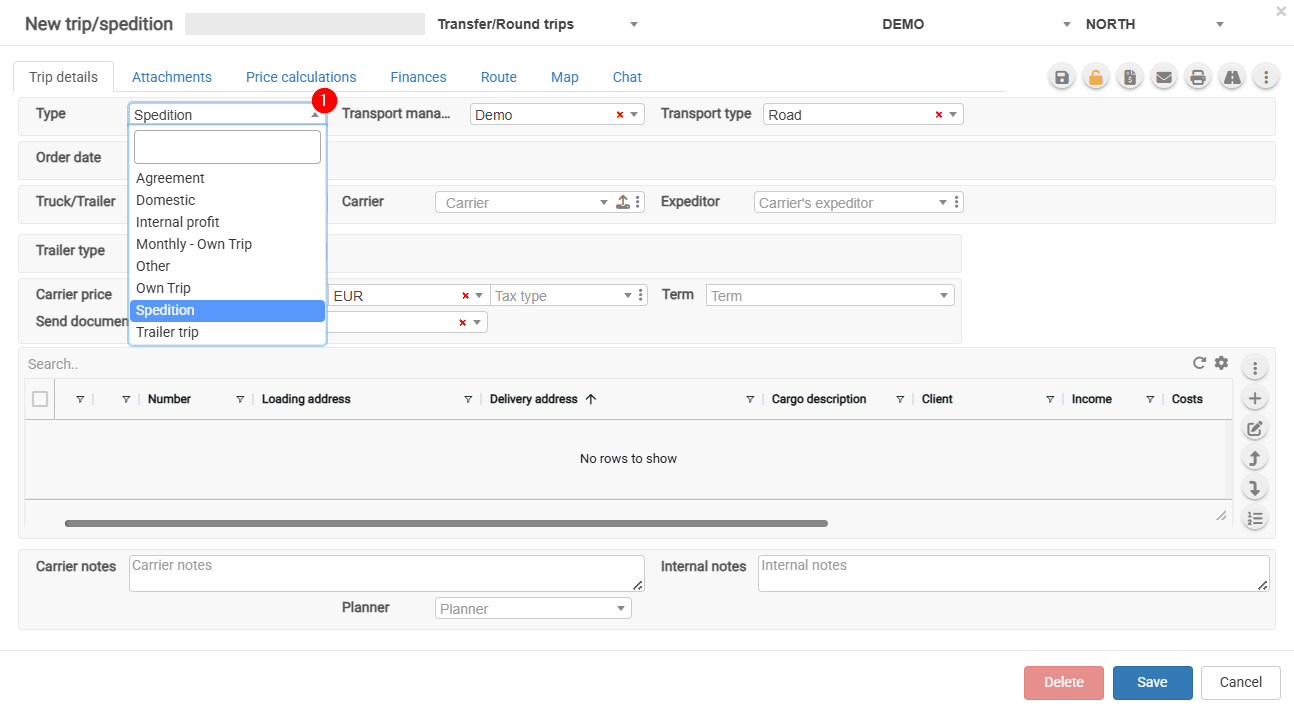
Creating a New Trip
Trip/Expedition Types
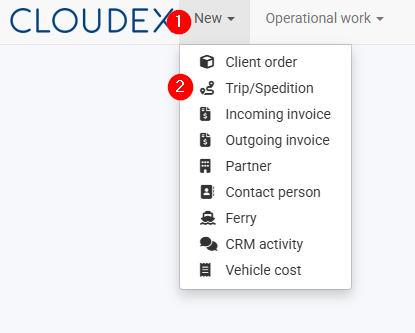
1. Adding a New Trip
- Click the “New” button in the toolbar.
- From the menu that opens, select “Trip/Expedition”.
2. Trip/Expedition Types
- Agreement – Select this option when a subcontractor operates under your management and you are forwarding the vehicle for a full or partial route. Payment is usually calculated based on the kilometers driven.
- Domestic – Local transportation.
- Monthly – Monthly trip.
- Other – Other types of trips.
- Own Trip – Select this option when the trip is performed with your own vehicle. This enables the completion of the driver's report.
- Spedition – Freight forwarding and cargo transportation.
To ensure accurate trip reporting, it is important to select the correct trip type.