
HOW TO CHANGE APPLICATION Callback URL in Azure Portal
1️⃣ Open Azure Portal
Go to: https://portal.azure.com
Sign in using a Global Administrator or Application Administrator account.
2️⃣ Open Microsoft Entra ID
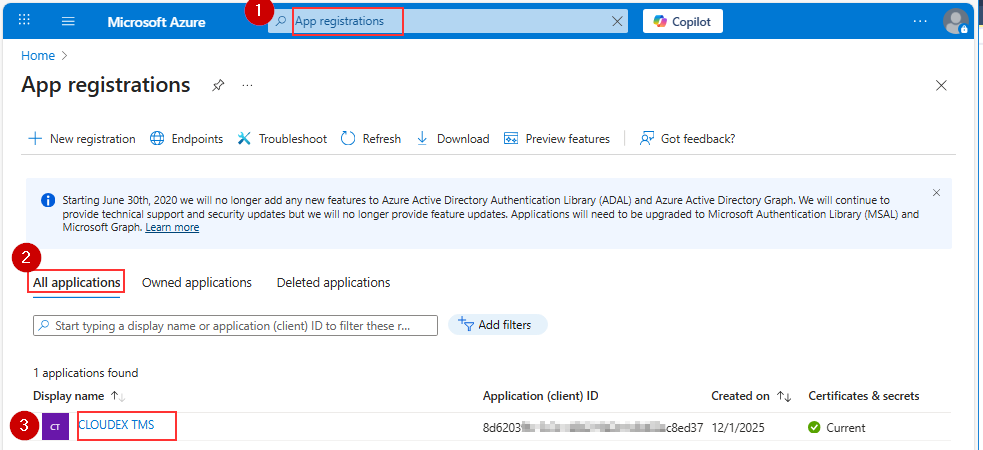
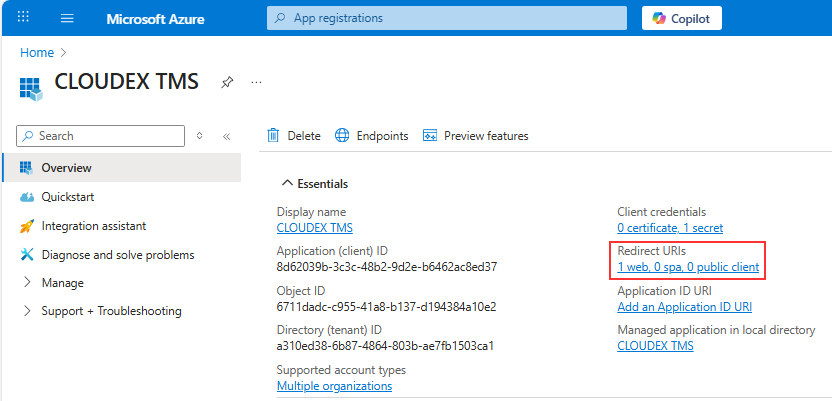
Choose Redirect URLs
!!!! In YourCompanyCode you should place your company code https://my.cloudex.app/YourCompanyCode/Services/Office365Callback.aspx
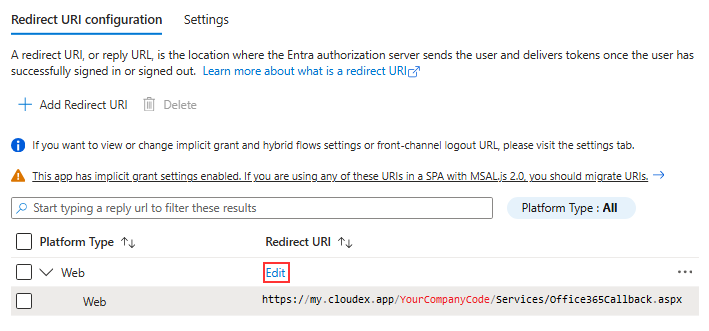
Redirect URL should be under Web NOT under SIngle-application