Tips and tricks
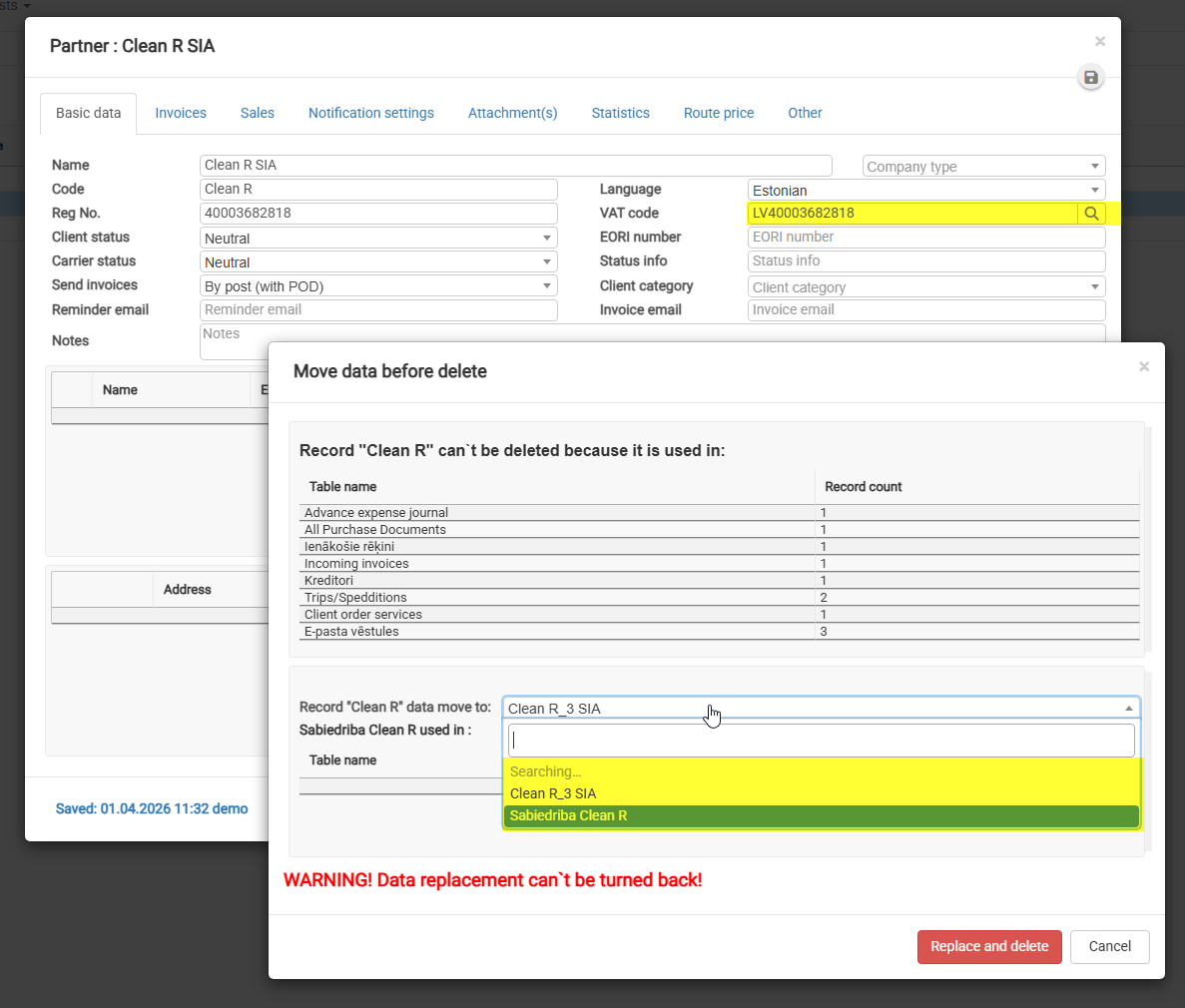
Delete: Data Transfer
1) Open the “Delete” window
This window appears when you try to delete a company that is used in existing records.
2) Review where the data is used
In the top table, you’ll see all places where the company is linked (e.g., invoices, purchases, shipments, etc.).
3) Find the field “Record ‘Clean R’ data move to”
This is a dropdown list where you must select the target company.
4) Select a company from the list
- Click on the dropdown field
- Start typing the company name (e.g., XXXXX)
- Choose the correct company from the suggestions
5) Double-check your selection
All data will be transferred to this company, and this action cannot be undone.
6) Click “Replace and delete”
Data will be moved to the selected company
The original company will be deleted